Mobile-Driven Development
May 04, 2020
Let’s face it. Regardless of how beautiful we believe a webpage looks on a laptop or desktop computer, most of the world sees the mobile version. So what can we do about this “mobile” web? Well, I would like to propose a new way to develop the web: mobile-driven development (MDD).
Similar to the idea of test-driven development (TDD), MDD attempts to flip preconceptions on how we develop websites and web apps. How many times do you come across a mobile version of a website that has ads everywhere, text half off the screen, and side-scrolling that drives you crazy? This is because us developers create a website on our big monitors without ever looking at it with a smaller screen. All of the beautiful CSS we used for this “amazing” website looks like absolute crap when we view it on our phones.
Rather than viewing our website running locally in a browser window on our laptops, MDD proposes that we first develop features while viewing the mobile version. This forces the developer to first ensure the mobile version is looking just as good as the large browser window version, if not better. Through this methodology, we can develop awesome, faster, and all-around better websites for our users.
How can we do MDD?
There are a few ways to get up and running with MDD. Once you run your website or web app locally, you can start by dragging your window to make it as small as possible. See below:
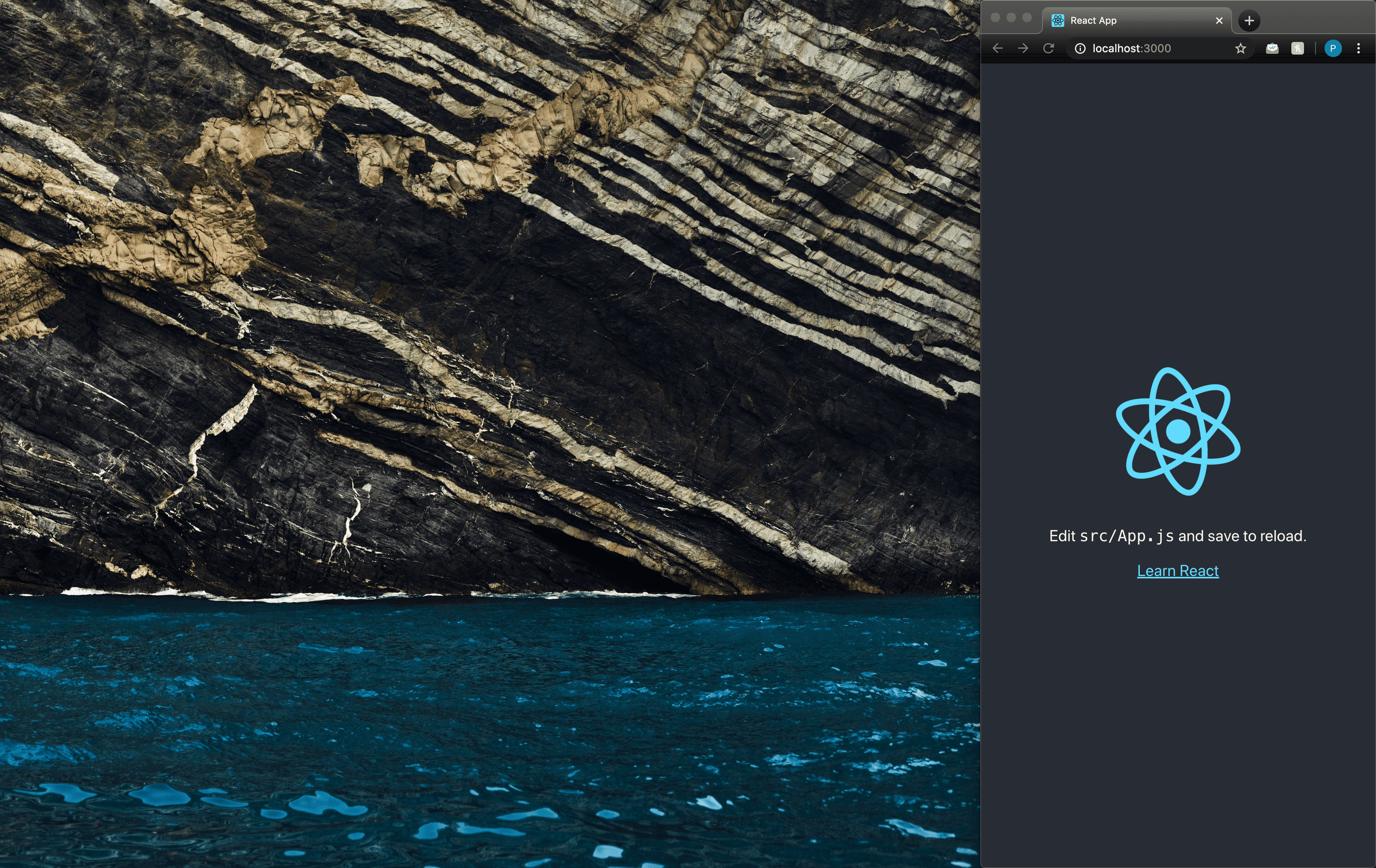
While the above method should suffice, if you would like to view the project on your phone, react makes this pretty straight forward:
React Example Step 1
To create a new react app, go to the terminal and run:
npx create-react-app mobile-driven-developmentReact Example Step 2
Now run this (moving to the directory you just created):
cd mobile-driven-developmentReact Example Step 3
And finally, run one of these (starting your react app!):
yarn startor
npm startThen you should see something like this:
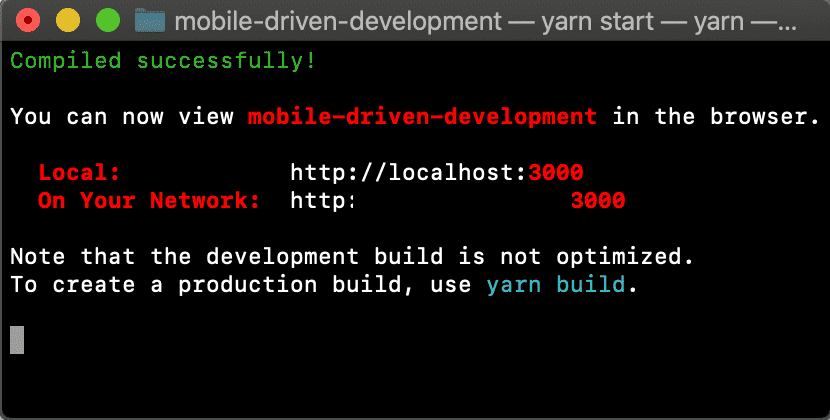
Now type the URL to the right of “On Your Network:” into your phone’s browser and you will be able to see your react app!
That’s all there is to it. Now you can edit your app and it will show up on your mobile device.
As you develop and are happy with the mobile version of each feature, check it out on the big screen just to verify that everything looks good and make changes as needed. I find that it is much easier to make changes on a desktop window after developing for the mobile web than it is to make changes on the mobile version after developing for the desktop version.
The web is more mobile than ever. Let’s use some MDD to make it more user-friendly one web app at a time.